
Guide
Introducing Scan-and-Pay with DeCard
Paying with DeCard just got easier! Learn how to use our new Scan-and-Pay feature to make fast and secure payments.
What is Scan-and-Pay?
With Scan-and-Pay, paying with your DeCard is now even easier. Instead of tapping your card, you can scan a merchant's QR code directly in the app and confirm your payment — all in just a few seconds. Whether you're grabbing a coffee, paying for a meal, or shopping at a local store, you can complete your purchase quickly and securely.
Scan-and-Pay is now available in:
- Cambodia
- China
- Hong Kong
- Korea
- Laos
- Malaysia
- Mongolia
- Philippines
- Singapore
- Thailand
- Vietnam

Note: All Scan-and-Pay transactions are not eligible to earn DePoints.
How to Use Scan-and-Pay
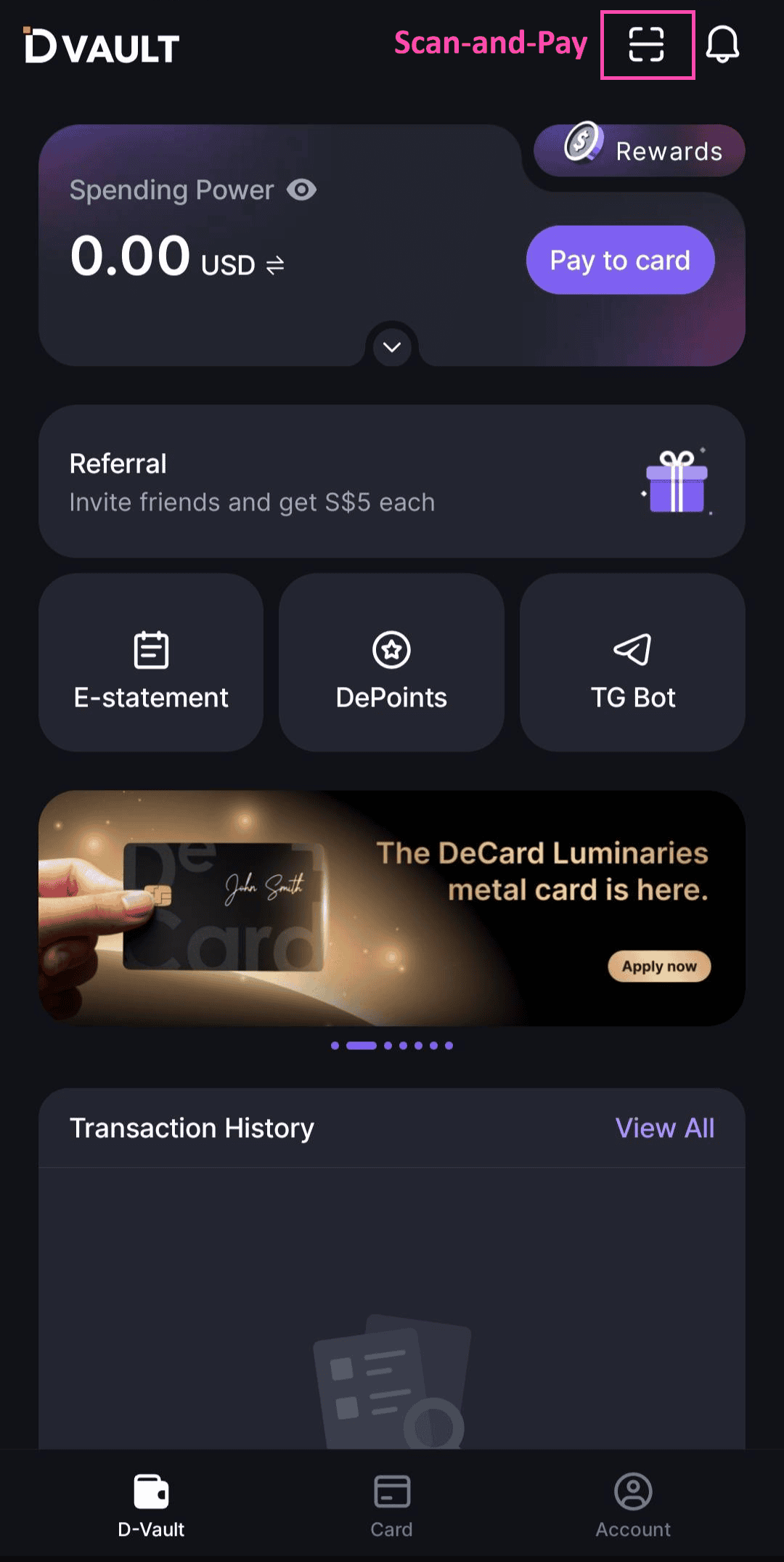
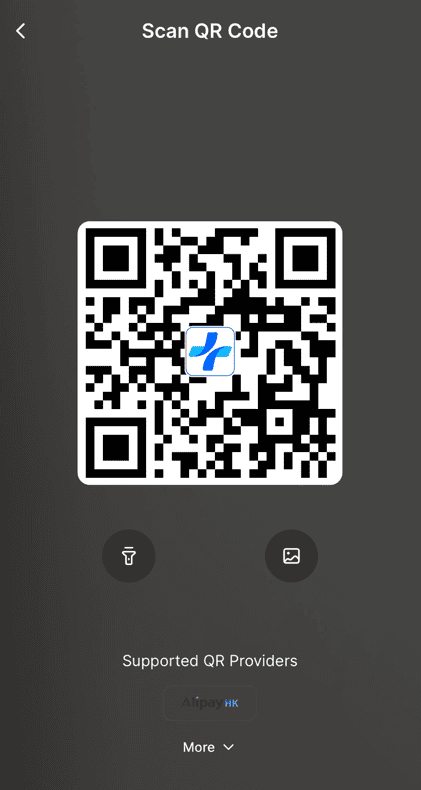
| Step 1: Open the DeCard App | Step 2: Scan the Merchant's QR Code |
| Open the DeCard app and tap the "Scan-and-Pay" button at the top right of the home screen. Make sure that you're using the latest version of the app. | Use your phone's camera to scan the merchant's QR code. |
 |  |
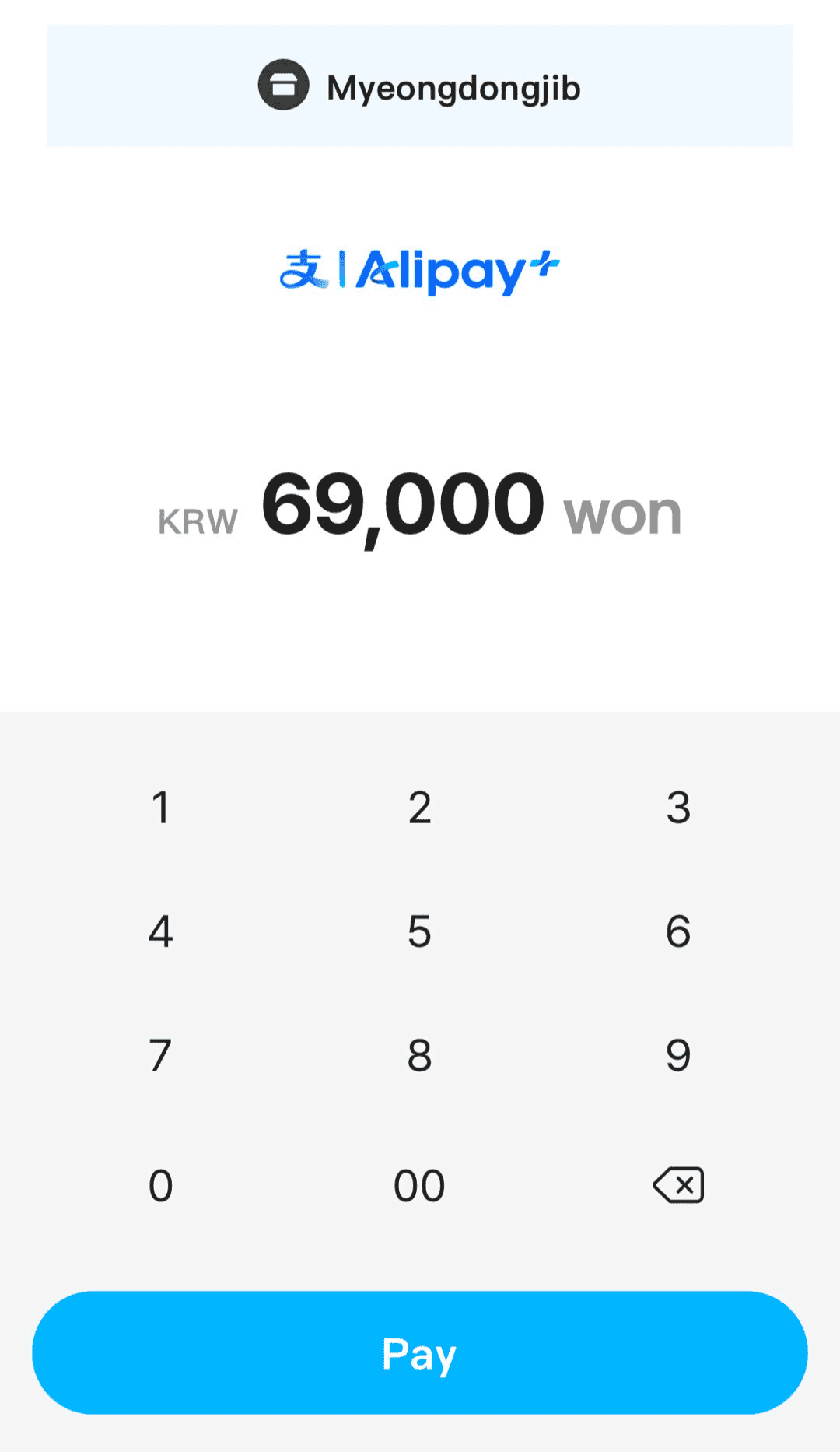
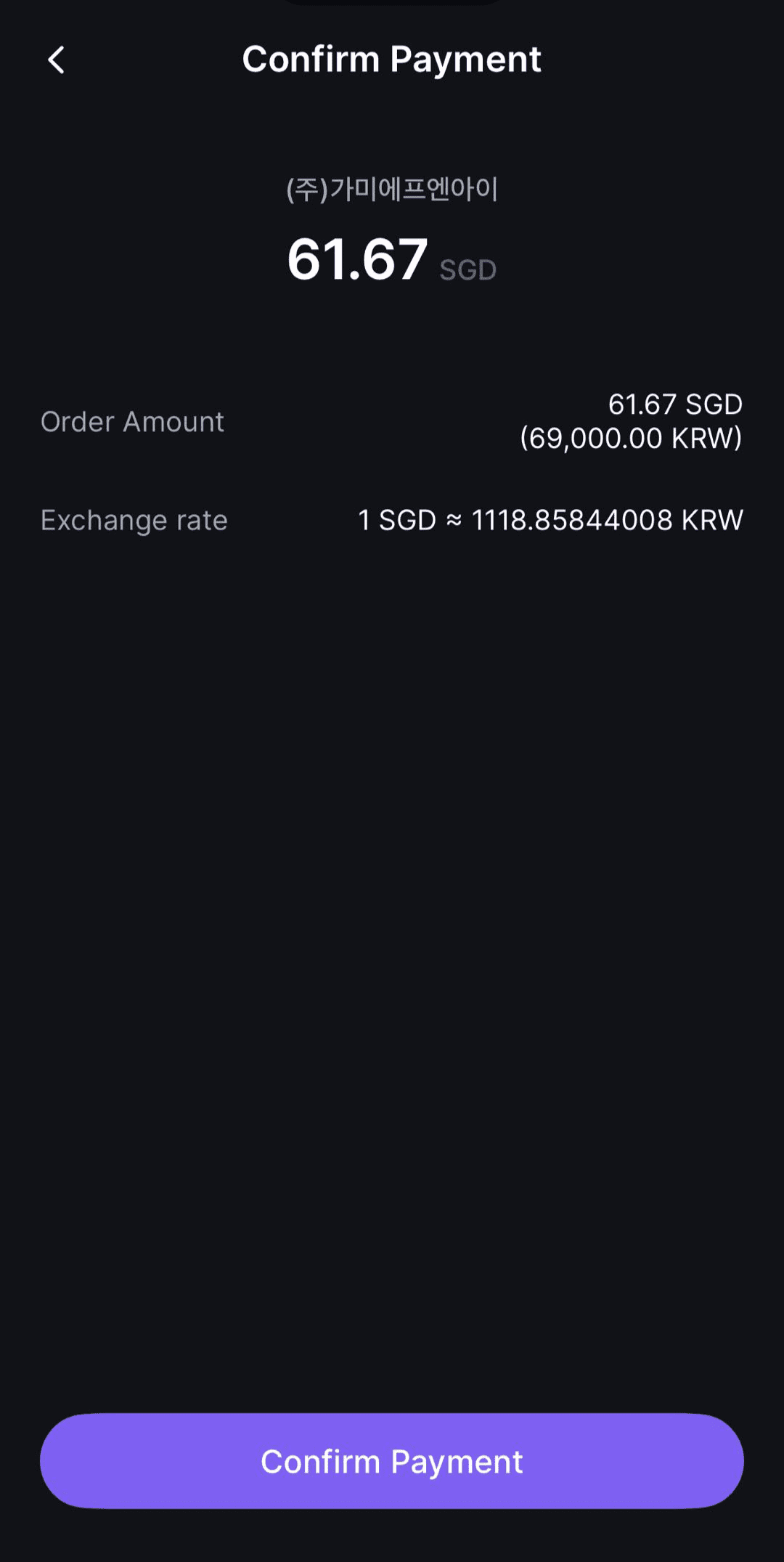
| Step 3: Review Payment Details | Step 4: Confirm Payment |
| Check the payment amount and merchant details shown. | Tap Confirm to complete the payment. Once successful, you'll see a confirmation in-app. |
 |  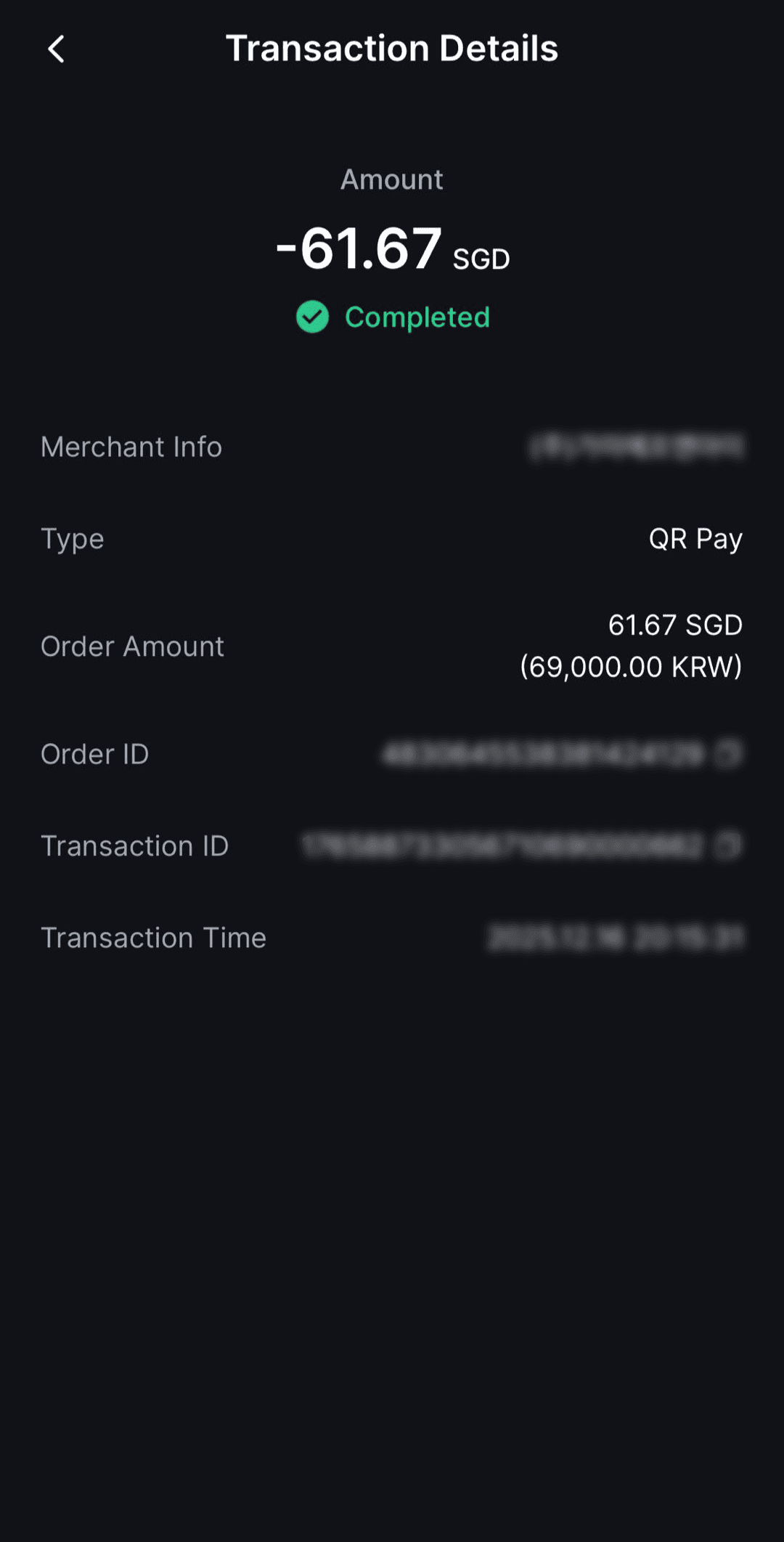 |
Spending your stablecoins is now easier than ever. Try Scan-and-Pay today!